Laptop Battery Replacement and Charging Check on the Gold Coast
A laptop with poor battery life and charging problems was inspected, opened carefully, fitted with a replacement battery and tested for safe charging behaviour.
The problem
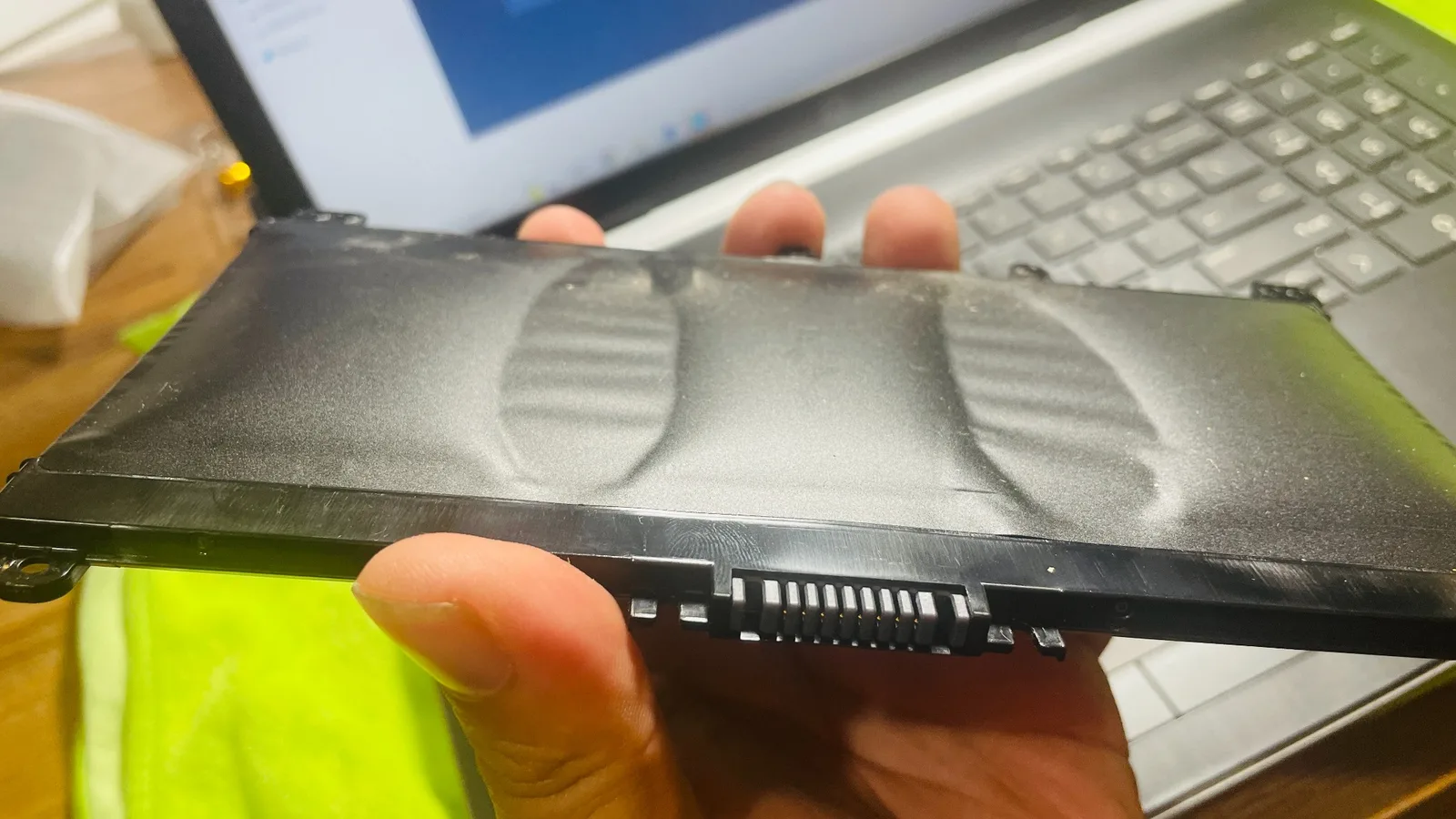
The laptop would only run for a short time away from the charger and the owner was unsure if the issue was the battery, charger, charging port or Windows power settings. Battery jobs need careful handling because damaged or swollen batteries can become unsafe.
Symptoms reported
- Battery draining quickly
- Laptop shutting down unexpectedly
- Charging percentage not increasing normally
- Device only reliable while plugged in
- Customer concerned about battery swelling
Diagnosis process
Before recommending parts or a full reinstall, Karma Techs followed a practical diagnostic process to confirm the likely cause and reduce the risk of unnecessary work.
- Checked charger output and charging behaviour
- Inspected the laptop body and battery area for swelling or pressure marks
- Generated Windows battery information where available
- Checked BIOS battery reporting where supported
- Confirmed whether replacement was sensible before proceeding
Repair work completed
- Powered down and opened the device carefully
- Removed the old battery safely
- Installed replacement battery
- Checked internal connectors and visible dust buildup
- Tested charging, discharge and Windows battery reporting
Outcome
The laptop charged normally after the replacement and was tested before return. The customer received practical advice about charging habits and when to replace a battery instead of continuing to use a failing one.
Questions about this type of repair
How do I know if my laptop battery needs replacing?
Common signs include short battery life, sudden shutdowns, charging percentage stuck, visible swelling or a laptop that only works reliably while plugged in.
Can you replace laptop batteries onsite?
Some battery jobs can be completed onsite, but certain models need workshop-style handling if the battery is internal, glued or swollen.
Is a swollen laptop battery dangerous?
A swollen battery should be treated seriously. Stop using the laptop, avoid pressing the casing and arrange inspection or replacement.