iMac & MacBook Repairs
Gold Coast
Gold Coast iMac and MacBook support for slow Macs, startup problems, macOS issues, battery concerns, data transfer and everyday software troubleshooting.
Expert iMac & MacBook Repairs Gold Coast for homes and businesses
Karma Techs helps Gold Coast customers with iMac and MacBook repairs without the jargon. Whether your MacBook is slow, your iMac will not start properly, your storage is full or your email and iCloud setup is giving you trouble, we can help diagnose the issue and get you moving again.
Our Apple Mac support covers software faults, data transfer, backup setup, Wi-Fi issues, printer setup, user account problems and general performance tuning. We also help customers move files from an older Mac to a new Mac and set up safer backup routines.
For Mac users who rely on their device for work, study or creative projects, our focus is clear communication, careful handling of data and practical repair options before unnecessary replacement.
Mac support often involves a mix of Apple ID, iCloud, storage, email, macOS updates, backups and hardware symptoms. We help with practical Mac troubleshooting for customers who need clear advice rather than confusing technical language.
Common jobs include slow MacBooks and iMacs, full storage warnings, email not syncing, Wi-Fi issues, startup problems, MacBook battery concerns, data transfer to a new Mac, printer setup, Microsoft 365 on Mac and advice about whether an older Mac is still worth repairing or upgrading.
Where a job requires Apple-specific parts or Apple-authorised hardware repair, we will explain that clearly. For setup, software, data, email, networking, battery checks and general support, Karma Techs can help onsite or remotely depending on the issue.
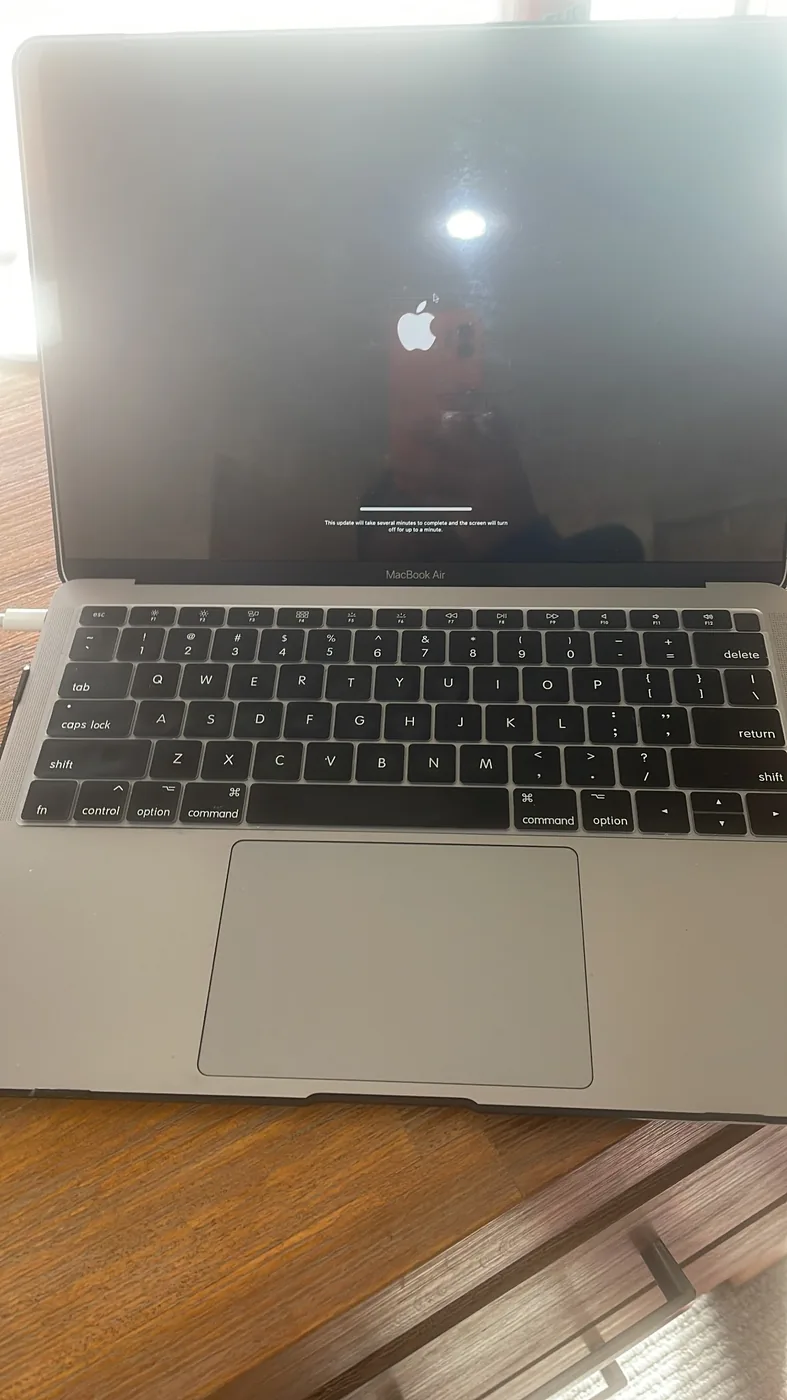
Real Apple Mac support
macOS updates, startup issues, data transfer and Apple support completed by Karma Techs on the Gold Coast.
Why customers choose us
Same-day appointments: available across many Gold Coast suburbs when booked early.
Clear advice: we explain the issue, likely cause and repair options before work begins.
Local support: onsite help for laptops, desktops, Macs, Wi-Fi, data and small business IT.
iMac vs MacBook
iMac and MacBook problems are not the same
A desktop iMac and a portable MacBook fail in different ways, so we diagnose them differently. Here is what we typically see and help with for each.
MacBook repairs
- Battery draining fast, swelling or not holding charge
- Running hot or shutting down under load
- Won’t turn on or stuck on a grey startup screen
- Slow performance and full storage warnings
- Wi-Fi and Bluetooth dropouts away from the home base
- Data transfer and backup to a new MacBook
iMac repairs
- Won’t start or shows a blank/grey screen
- Slow performance, spinning wheel or storage warnings
- macOS update failed or stuck
- Wi-Fi, Bluetooth keyboard/mouse or printer connection issues
- Email, iCloud and Microsoft 365 sync problems
- Data transfer and backup when moving to a new iMac
Common issues we fix
- MacBook or iMac will not start
- Spinning wheel or slow performance
- macOS update failed
- iCloud, email or printer issues
- Need files moved to a new Mac
- Wi-Fi or Bluetooth keeps dropping
Our repair process
- 1We confirm the Mac model, macOS version and symptoms.
- 2We check startup, storage, software, user account, network and backup status.
- 3We complete the approved fix, test the Mac and explain useful prevention steps.
Gold Coast coverage
We service homes and businesses across Southport, Surfers Paradise, Helensvale, Robina, Burleigh Heads, Broadbeach, Coomera and surrounding suburbs.
Detailed diagnostics
How we approach imac & macbook repairs before recommending a fix
Most computer issues have more than one possible cause. We do not jump straight to replacement parts or a full Windows reinstall unless it is genuinely the safest option. The aim is to identify the fault, protect your data where possible and give you a practical repair path.
1. Confirm the symptoms
We ask when the fault started, what changed recently and whether the device is needed urgently for work, study or business. This helps separate hardware faults from software, update, network or account issues.
2. Test the likely causes
Depending on the issue, we check storage health, power, charging, Windows startup, drivers, malware, Wi-Fi, printer connectivity, Microsoft 365 settings and connected devices.
3. Explain repair vs replace
You get clear advice before work continues. If a repair is sensible, we proceed. If replacement is better value, we explain why and can help with transfer, setup and security.
When a repair is usually worthwhile
A repair or upgrade usually makes sense when the computer is still fast enough for your needs, the storage is healthy, the device is physically sound and the fault is limited to software, settings, battery, memory, storage or networking.
Common worthwhile jobs include SSD upgrades, RAM upgrades, Windows repair, malware cleanup, battery replacement, email setup, printer troubleshooting, Wi-Fi fixes and Microsoft 365 configuration.
When replacement may be smarter
Replacement may be better value when the device is very old, physically damaged, has multiple major faults, cannot run supported software safely or needs repairs that cost too much compared with a reliable replacement.
Where replacement is the better option, Karma Techs can still help with new computer setup, data transfer, Microsoft 365, email, printer setup, security and removing unnecessary preinstalled software.
Related Gold Coast services
Laptop Repairs
Learn more about our local laptop repairs service.
Virus & Malware Removal
Learn more about our local virus & malware removal service.
Data Recovery
Learn more about our local data recovery service.
Business IT Support
Learn more about our local business it support service.
Computer Repairs Southport
Learn more about our local computer repairs southport service.
Computer Repairs Robina
Learn more about our local computer repairs robina service.
Computer Repairs Helensvale
Learn more about our local computer repairs helensvale service.
Insurance Reports
Learn more about our local insurance reports service.
Real local work
Recent repair stories
See examples of real Gold Coast repairs and support jobs using practical diagnostics, clear advice and sensible repair decisions.
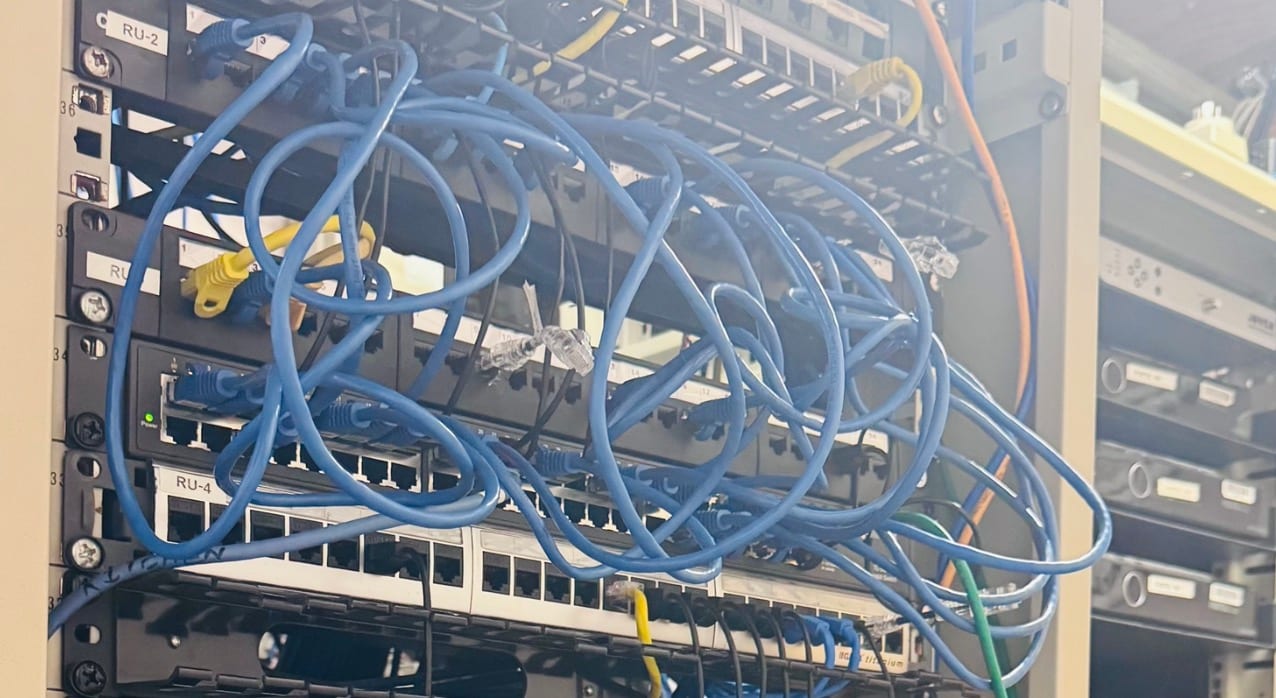
Ormeau • Business IT
Patch Cabling Re-Dress
An Ormeau office cabinet had years of tangled patch cabling that made tracing any connection impossible. Every run was re-dressed and labelled so it is easy to maintain.
Read repair story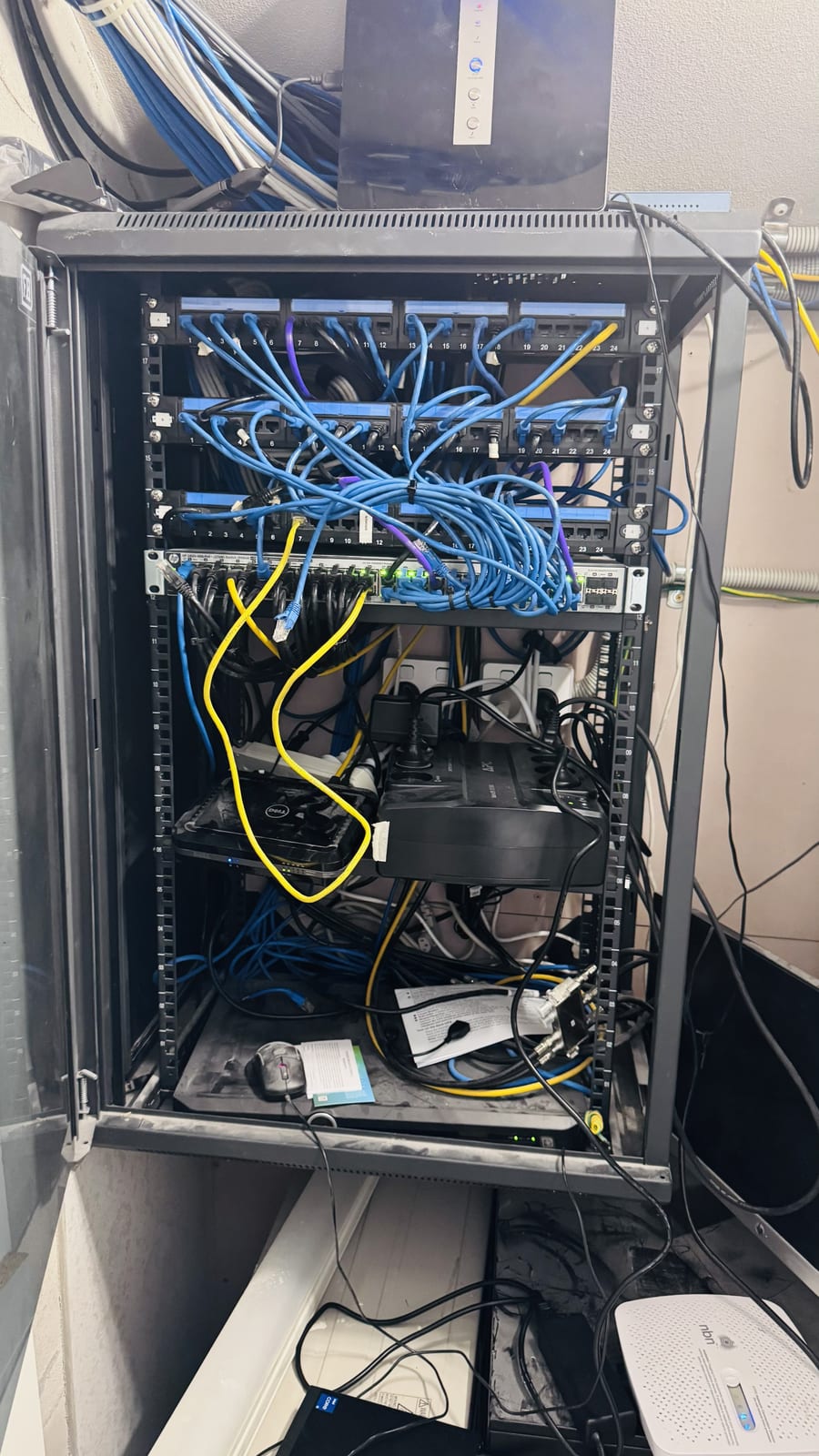
Varsity Lakes • Business IT
Network Rack Rebuild and UPS
A Varsity Lakes business had an unreliable network with regular drop-outs and no backup power. The rack was rebuilt properly with organised cabling and a UPS added for reliability.
Read repair story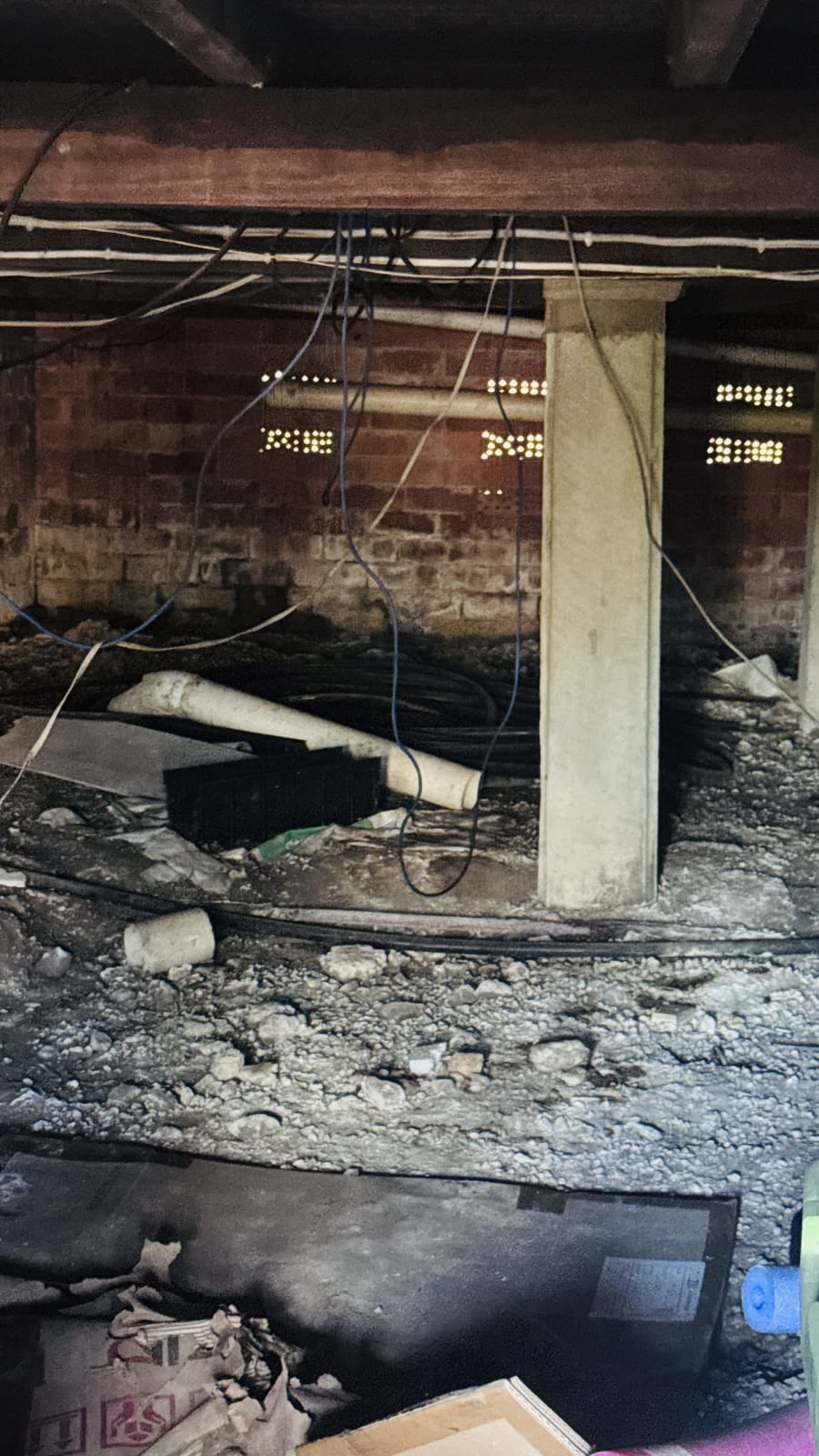
Robina • Business IT
Subfloor Network Cable Run
A Robina business needed new network cabling run through an awkward subfloor to reach another part of the office. The run was completed cleanly through the cavity with no disruption to the workspace.
Read repair storyFAQs
iMac & MacBook Repairs Gold Coast FAQs
Do you provide MacBook repairs on the Gold Coast?
Yes. We provide onsite MacBook support across the Gold Coast for battery, performance, startup, software and data issues.
Do you fix iMacs that won’t turn on?
Yes. We diagnose iMac startup faults, blank or grey screens and check whether the cause is software, storage or a hardware fault needing Apple-authorised repair.
Can you help if my Mac is running slow?
Yes. Slow Macs can be caused by storage pressure, startup apps, old software, failing drives, sync issues or malware-like unwanted software. We can diagnose and optimise the system.
Can you transfer files from one Mac to another?
Yes. We help migrate documents, photos, user files, email settings and backups where access and device condition allow.
Need imac & macbook repairs on the Gold Coast?
Call Karma Techs for fast onsite help, clear advice and practical repair options.
0451 101 787Same-day appointments subject to availability