ASUS VivoBook Firmware and BIOS Update in Highland Park
An ASUS VivoBook in Highland Park had its BIOS brought up to date as part of a general health check, carried out carefully so the update wasn't interrupted partway through.
The problem
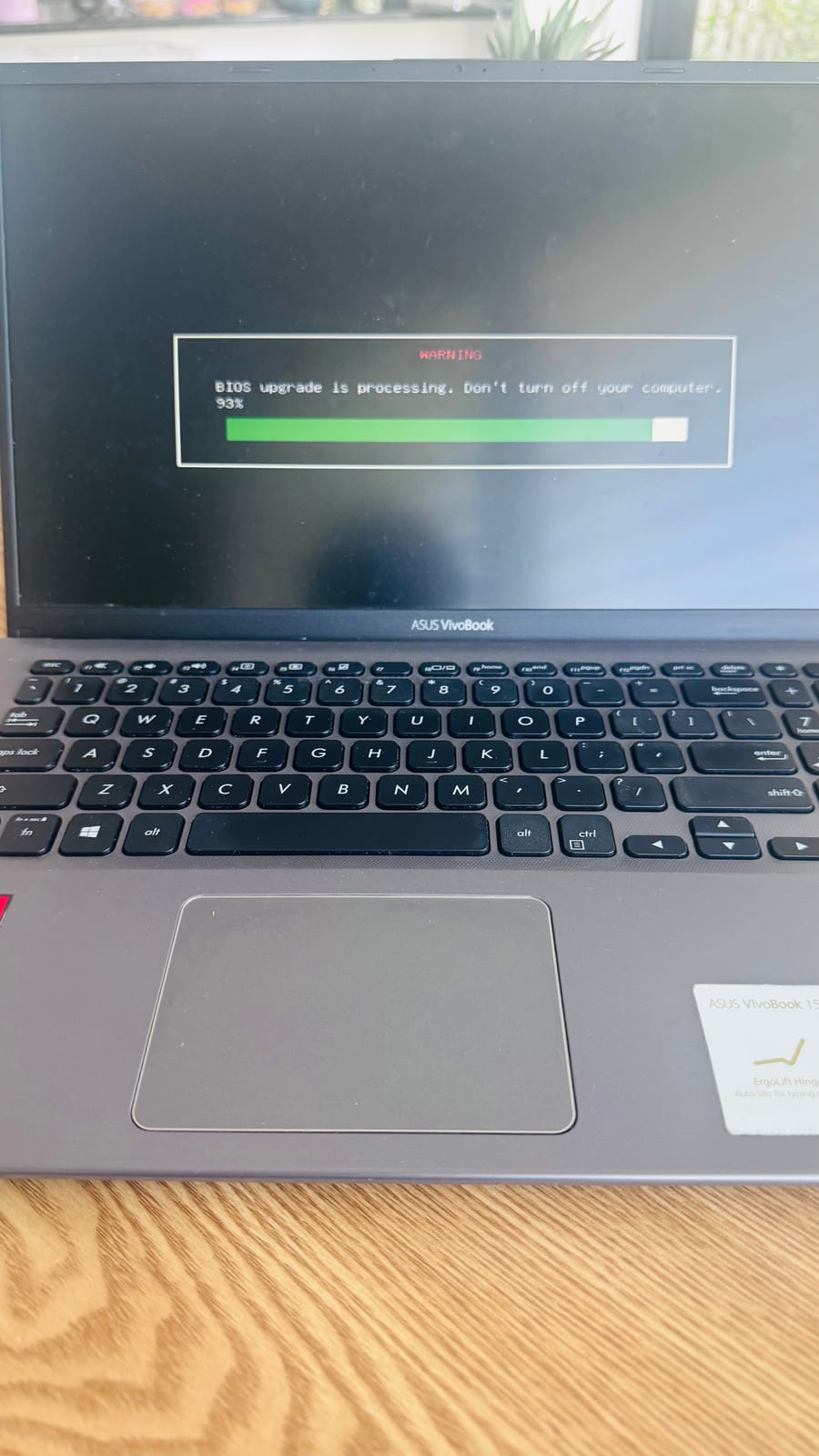
During a general check-up on the customer's ASUS VivoBook, the installed BIOS version was found to be well behind the latest release available from ASUS. Firmware updates like this are routine but need to be done properly, since an interrupted BIOS update can leave a laptop unable to start at all.
Symptoms reported
- No urgent fault reported by the customer
- BIOS version found to be several releases behind current during inspection
- Laptop otherwise running normally
Diagnosis process
Before recommending parts or a full reinstall, Karma Techs followed a practical diagnostic process to confirm the likely cause and reduce the risk of unnecessary work.
- Checked the installed BIOS version against the latest available for the exact VivoBook model
- Confirmed the update was appropriate and compatible before proceeding
- Made sure the laptop was on stable power throughout, since a BIOS update should never run on battery alone
Repair work completed
- Downloaded the correct BIOS update for the specific model from ASUS
- Ran the firmware update and monitored it through to completion without interruption
- Verified the laptop restarted normally and BIOS settings were intact afterwards
- Confirmed Windows started up cleanly on the updated firmware
Outcome
The VivoBook is now running current firmware, which helps with long-term stability and compatibility with future Windows updates. No issues were introduced by the update, and the laptop was handed back working exactly as before.
Questions about this type of repair
Do I need to update my laptop's BIOS?
Not urgently in most cases, but keeping firmware reasonably current helps with stability, hardware compatibility and security, especially before major Windows updates.
Is it risky to update a BIOS?
It carries more risk than a normal software update because an interruption partway through can stop the laptop starting up. Running it on stable power and following the correct steps for the exact model avoids that risk.
Can I update my own laptop's BIOS?
Often yes for confident users, but getting the exact right version for your model and not interrupting the process matters. If you're unsure, having it done as part of a check-up avoids any chance of a failed update.