Desktop With No Display Output Diagnosed and Fixed in Upper Coomera
A desktop PC in Upper Coomera powered on normally but gave no picture on the monitor. Checking the graphics card outputs and rear connections got the display working again.
The problem
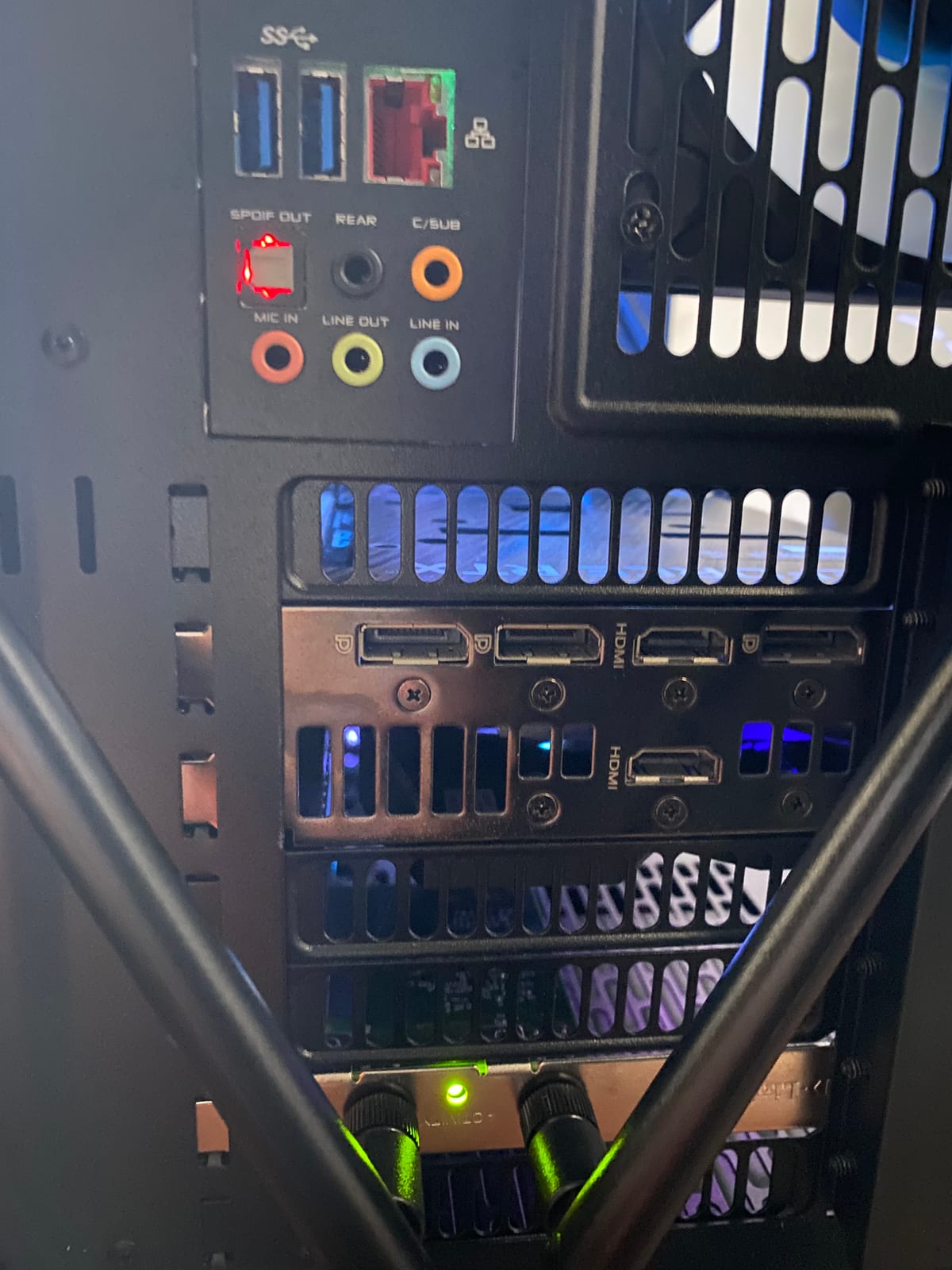
The customer's desktop was powering on as normal, with fans spinning and lights on, but the monitor stayed on standby with no signal. A no-display fault like this can come from the graphics card, the cable, the port in use or a loose connection at the back of the case, so each of those needed to be checked in turn at the rear I/O panel.
Symptoms reported
- Monitor showing no signal despite the PC powering on normally
- Fans and case lighting running as expected
- No image on screen through the cable that had been working before
- Customer unsure whether the graphics card itself had failed
Diagnosis process
Before recommending parts or a full reinstall, Karma Techs followed a practical diagnostic process to confirm the likely cause and reduce the risk of unnecessary work.
- Confirmed the PC was powering on and running rather than failing to start
- Checked the graphics card was fully seated in its slot
- Tested the display individually through each of the available DisplayPort and HDMI outputs
- Checked the rear I/O shield and connections for anything sitting loose
Repair work completed
- Reseated the graphics card in its slot
- Reconnected the monitor to a confirmed-working output port
- Straightened and secured the rear I/O connections that had worked loose
- Tested the display under normal use to confirm the fix held
Outcome
The desktop displayed normally again once the graphics card connection and output port were sorted out, with no need to replace any hardware. The customer left with a working PC and a clearer idea of which port to use if it happens again.
Questions about this type of repair
Why does a PC power on but show nothing on the monitor?
This usually points to the graphics card, the cable or the port in use rather than the PC failing to start. Loose seating on the card or a rear connection working free over time are common, easily fixed causes.
Do I need a new graphics card if there's no display?
Not necessarily. Many no-display faults are down to seating, cabling or the specific port being used rather than a failed card, which is why checking each output before replacing anything saves unnecessary cost.
Do you fix desktop PCs onsite in Upper Coomera?
Yes. Karma Techs provides onsite and workshop desktop repairs across Upper Coomera and the surrounding Gold Coast suburbs.