Laptop Overheating and Shutting Down: Full Teardown and Cooling Clean in Helensvale
A Helensvale laptop was overheating and shutting itself down mid-task. A full teardown, fan and heatsink clean and fresh thermal paste brought temperatures back under control.
The problem
The laptop would run hot, get loud, then shut down without warning, often in the middle of work. Overheating shutdowns are usually caused by dust-clogged cooling, dried-out thermal paste or failing fans, and left alone they can shorten the life of the processor and other parts.
Symptoms reported
- Laptop becomes very hot, especially near the vents
- Fans running loud and constant
- Sudden shutdowns or restarts during normal use
- Performance dropping off after a few minutes
- Warm air barely coming out of the exhaust vents
Diagnosis process
Before recommending parts or a full reinstall, Karma Techs followed a practical diagnostic process to confirm the likely cause and reduce the risk of unnecessary work.
- Checked CPU and GPU temperatures and watched for throttling under load
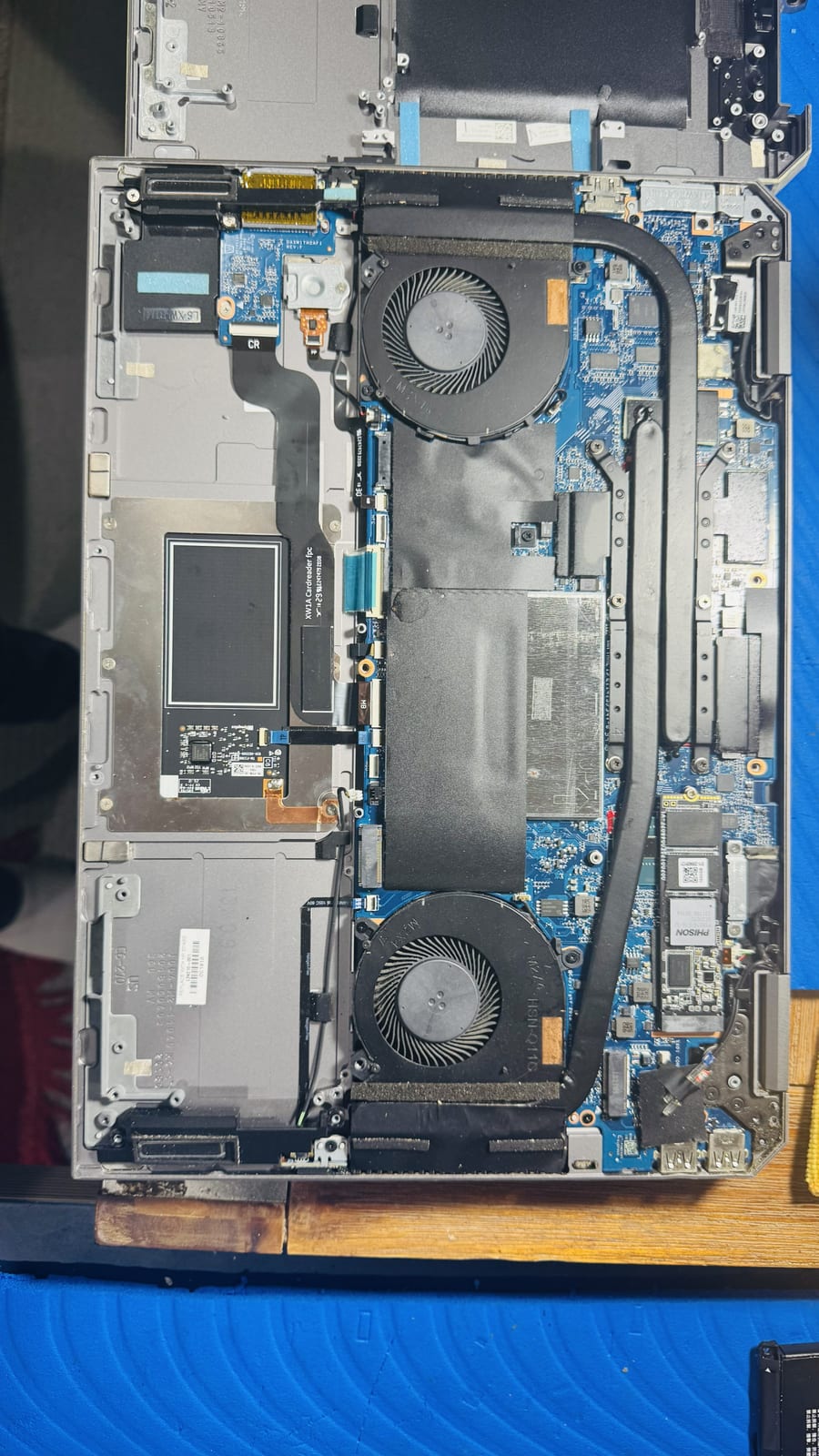
- Opened the laptop fully to inspect both fans and the heatsink assembly
- Found dust packed against the heatsink fins blocking airflow
- Checked the fan bearings and spin-up behaviour
- Assessed the condition of the existing thermal paste
Repair work completed
- Removed both fans and the heatsink and cleared the blocked dust
- Cleaned the fan blades and housings and checked they spun freely
- Replaced the old thermal paste on the CPU and GPU
- Reassembled and reseated all cooling and power connectors
- Re-tested temperatures under load to confirm they stayed in a safe range
Outcome
The laptop ran quiet and cool again with no more shutdowns under normal load. The owner was given a rough guide for how often this kind of laptop needs a cooling clean based on where and how it is used.
Questions about this type of repair
Why does my laptop shut down when it gets hot?
It is a safety feature. When the processor reaches a critical temperature the laptop shuts down to protect itself. Fixing the cooling stops it happening.
How often should a laptop's fans be cleaned?
Most laptops benefit from a cooling clean every 1 to 2 years. Homes with pets, carpet or dust, or laptops used on soft surfaces, may need it more often.
Does repasting the processor really make a difference?
Yes. Thermal paste dries out over years of heat cycling. Fresh paste, along with clearing the dust, can drop temperatures significantly.